You Don’t Need Zendesk Yet: Running Customer Support on a Spreadsheet
Help desk platforms are powerful and pricey. For a small shop or team, a help desk software alternative in a spreadsheet does everything you actually need.
When my little business’s customer support outgrew my inbox, the obvious next step seemed to be help desk software. So I looked at the big platforms — powerful, polished, and priced per agent per month in a way that added up fast for a small operation. I stared at the pricing and thought: I have a modest number of tickets and a tiny team. Am I really about to pay enterprise support-software prices? I found a better fit for my stage: a help desk software alternative built in a spreadsheet. Here’s the honest comparison, and who should choose what.
What the help desk platforms are selling
To be fair, tools like the major help desk platforms are genuinely impressive. Shared inboxes, automated ticket routing, canned responses, chatbots, multi-channel integration, detailed analytics, and workflows that scale to huge support teams. If you’re running a big support operation with thousands of tickets and many agents, that infrastructure is worth every penny.
But when I honestly listed what my small business needed, the list was short:
- A place to log every ticket and track its status.
- A way to measure response times and hit my SLAs.
- A read on customer satisfaction.
- A view of what issues come up most.
That’s the core of good support. And a spreadsheet does all of it. I was looking at premium per-agent monthly pricing to do a set of things that are, at heart, logging and measuring — which is exactly what spreadsheets excel at.
What I built instead
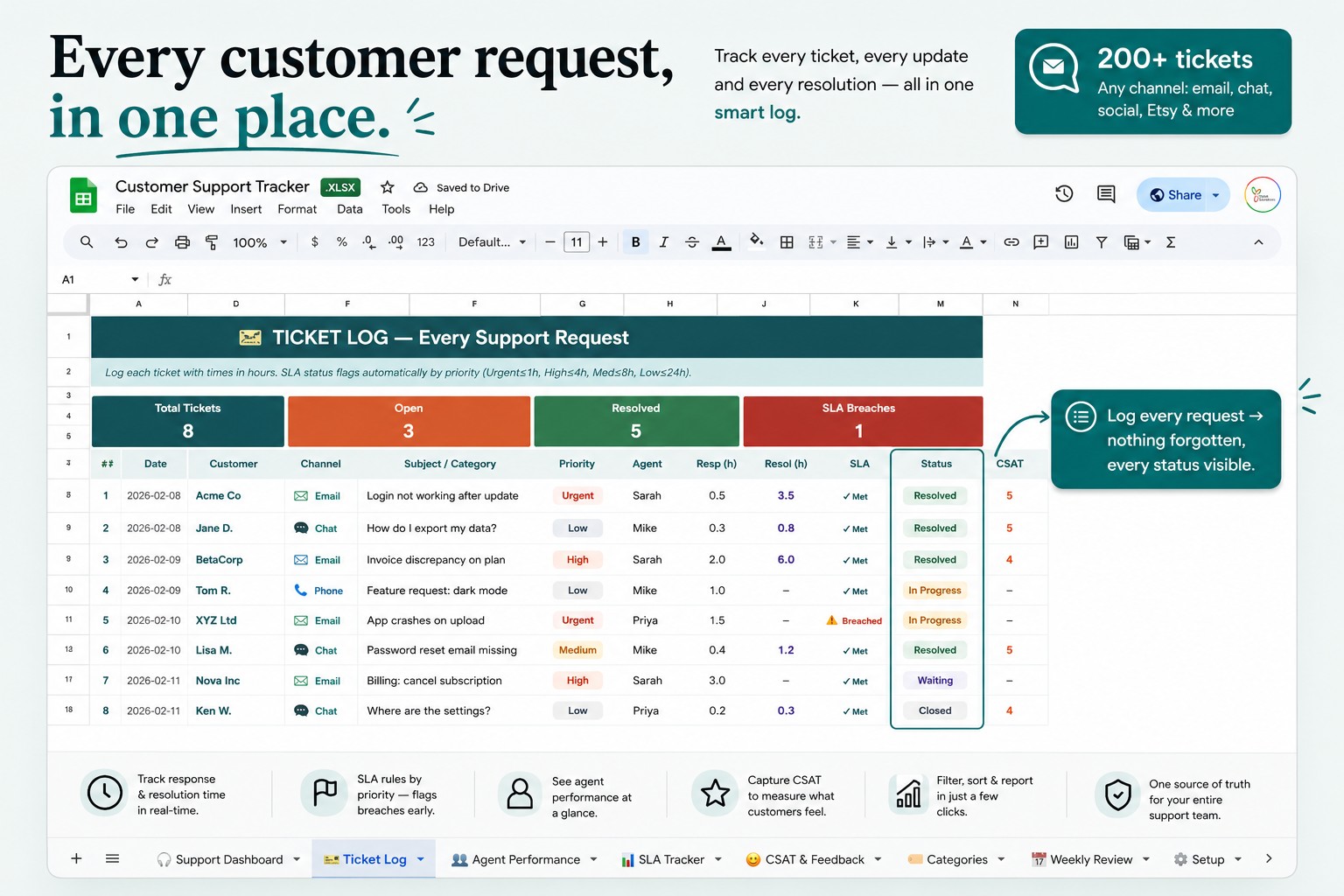
I put all those functions into one Google Sheets file: a ticket log with statuses, SLA tracking, CSAT measurement, agent performance, issue categories, and a live dashboard. It costs nothing to run, works on my laptop and phone, and is mine forever.
What surprised me was how little I actually lost. Every ticket is tracked. My response times are measured. I know my CSAT. I can see my most common issues and fix them. What I “gave up” were the enterprise features — automated routing, chatbots, deep integrations — that my small operation didn’t need at its current size. For the substance of running good support, the spreadsheet did the job.
The honest trade-offs
I won’t pretend a spreadsheet replaces a full help desk platform for everyone, so here’s the real breakdown.
A spreadsheet is the better choice if: you’re a small shop or team with a manageable ticket volume, you mainly need to track, measure, and stay organized, you’re fine handling tickets manually, you want zero monthly cost, and you value simplicity and control.
Dedicated software is worth it if: you have a large support team, high ticket volume, a need for automation, chatbots, shared inboxes and deep multi-channel integration, and the per-agent cost is small relative to the efficiency it buys at your scale.
The key insight is that it’s about stage. Most businesses don’t need enterprise help desk software on day one — they grow into it. A spreadsheet is the perfect tool for the stage before that, and it’s completely reasonable to run support on one until your volume genuinely justifies the upgrade. Starting simple isn’t settling; it’s right-sizing.
The quiet benefits of a simple system
Beyond cost, running support in a spreadsheet gave me things the platforms didn’t. It’s simple enough that there’s nothing to learn — I (or anyone helping me) can use it instantly, with none of the setup and configuration a big platform demands. I can customize it freely — add a column, change a category, adjust how I track something — in seconds. And my support data lives in my own Drive, fully mine, not locked inside a platform I’d lose the day I stopped paying.
For a small business, that simplicity is a feature, not a compromise. Complex software has a real cost beyond money: the time and friction of setting it up and running it. A tool that just works, that you fully understand, is often exactly what a small operation needs.
A note on customer data
Whatever you use, remember a support system holds customer information — so keep it in a secure, private account and follow your local privacy rules. That applies to spreadsheets and software alike.
If you want the system ready-made
I built my customer support tracker in Google Sheets — ticket log, SLA tracking, CSAT, agent performance, issue categories, and a live dashboard, all in one file that also works in Excel:
👉 Customer Support Tracker for Google Sheets & Excel
Before you commit to per-agent monthly pricing, ask what your support actually needs right now. For a small shop or team focused on staying organized and responsive, the answer might fit neatly into one spreadsheet — and you can always graduate to a full platform when your volume truly outgrows it.
This is what works for my own small business and is an organizational tool — not legal advice; keep customer data secure and follow your local privacy rules. Are you paying for support software you’re not fully using? I’d love to hear in the comments.