One Task Slips. Every Trade Behind It Moves.
Five days of rain in October moved the handover date. Everyone on site knew about the rain. Nobody knew about the handover date for another two months. Here’s why.
There’s a specific way small construction jobs go wrong, and it isn’t dramatic. It rains for five days in October. The bricklayers can’t work, the mortar won’t set, and the external walls finish a week late. Everyone on site knows this — it’s the main topic of conversation that week. What nobody knows, not that week and usually not for another two months, is that the handover date has just moved. The construction schedule still says January, quite confidently, while the job drifts into February. And by the time anyone notices, the conversation with the client is happening far too late to do anything useful about it. This is one of the most common and most avoidable failures in small-site management, and the cause is mundane.
Why the schedule keeps lying
The reason is that most schedules on small jobs are a list of dates somebody typed in by hand.
That’s fine on day one. The problem appears the first time something moves — because when one task slips, every task chained behind it is now wrong. All forty rows. And nobody is going to sit down and retype forty rows of dates every time the weather turns or a delivery is late. Realistically, nobody is going to do it once.
So the schedule quietly stops matching reality, and everyone keeps referring to it because it’s the only schedule there is. The dates on the wall are fiction, but they’re confident fiction, and confident fiction is worse than no schedule at all — because you make commitments against it.
Linked tasks: the difference between a schedule and a programme
The fix is to stop typing dates and start describing relationships.
Instead of writing a start date for each task, you give it two things: a duration in working days, and a predecessor — the ID of the task that has to finish before this one can start. From those, the start and finish dates calculate themselves.
That sounds like a small technical distinction. It’s the entire difference between a list and a working programme, and here’s why: when you enter a real finish date that’s later than planned, everything chained behind it recalculates immediately. One entry. Sixteen trades shift. The forecast handover moves from January 25th to February 1st, on the same day you found out about the rain.
That’s the point. Not that the job didn’t slip — jobs slip, weather happens, deliveries are late. The point is when you find out. Five days of slip discovered in October is a conversation about recovery: bring a trade forward, compress somewhere, warn the client early and manage expectations. The same five days discovered the week before Christmas is just bad news with no options attached.
Working in working days rather than calendar days matters here too, since a five-day task starting on a Thursday finishes the following Wednesday, not the Monday. Getting that wrong across forty tasks compounds into a meaningfully wrong programme.
Freeze a baseline, or you can’t see slip at all
There’s a second discipline that sounds like paperwork and isn’t: fill in a baseline column once, at the start, with your originally planned finish dates — and then never touch it again.
Without a frozen baseline, a re-planning programme has a subtle failure mode. Everything recalculates, all the dates look sensible, and you lose the ability to see that anything has moved. You don’t have slip; you just have new dates that look fine. Which feels reassuring and tells you nothing.
With a baseline, every task shows its slip against what you originally promised, and the dashboard shows the total. That’s what turns “we’re a bit behind” into “we’re five days behind, and here’s exactly where they went.” It’s also what makes an honest conversation with a client possible, because you can show the movement rather than just announcing a new date.
And it’s what makes the next job better. A programme with a baseline is a record of where your estimates were wrong — which trades consistently take longer than you allow, where you’re optimistic. That’s genuinely valuable and completely unavailable if you overwrite your original plan.
Being honest about what this kind of tool is
Two honest limits worth stating, because overclaiming here would be unhelpful.
This kind of single-chain dependency programme is not critical-path software. Real CPM involves multiple predecessors per task, resource levelling, and float calculated across parallel paths. If you’re running a large commercial project, you need dedicated software and someone who knows how to drive it.
But most domestic and small commercial jobs don’t run on that. They run on a sequence: this trade, then that trade, then the next one, with a handful of things happening alongside. For coordinating fifteen trades on an extension or a renovation, a simple linked-task programme is the right size of tool — and far more likely to actually be maintained than software nobody on site will open.
Second: any dates calculated this way typically exclude weekends only. Public holidays, site shutdowns and curing times aren’t automatic — they have to be entered as tasks in their own right. That’s a limitation, and it’s also why it works anywhere: a template that guessed your country’s holiday calendar would be wrong for most people who bought it.
An important note
To be clear: this is a general perspective on scheduling and a way of organising your own programme. It is not construction, engineering, architectural, health and safety, contractual, insurance, or legal advice, and it guarantees no outcome. Any tasks, durations, trades or sequences mentioned are illustrative examples — not recommendations, industry standards, or realistic durations for your project. Building regulations, permits, required inspections and health and safety duties differ enormously by country and region and are your responsibility to establish and comply with. Who bears the cost of a delay depends entirely on your contract and applicable law. Always work from your own drawings, contract and professional advice.
If you want it to re-plan itself
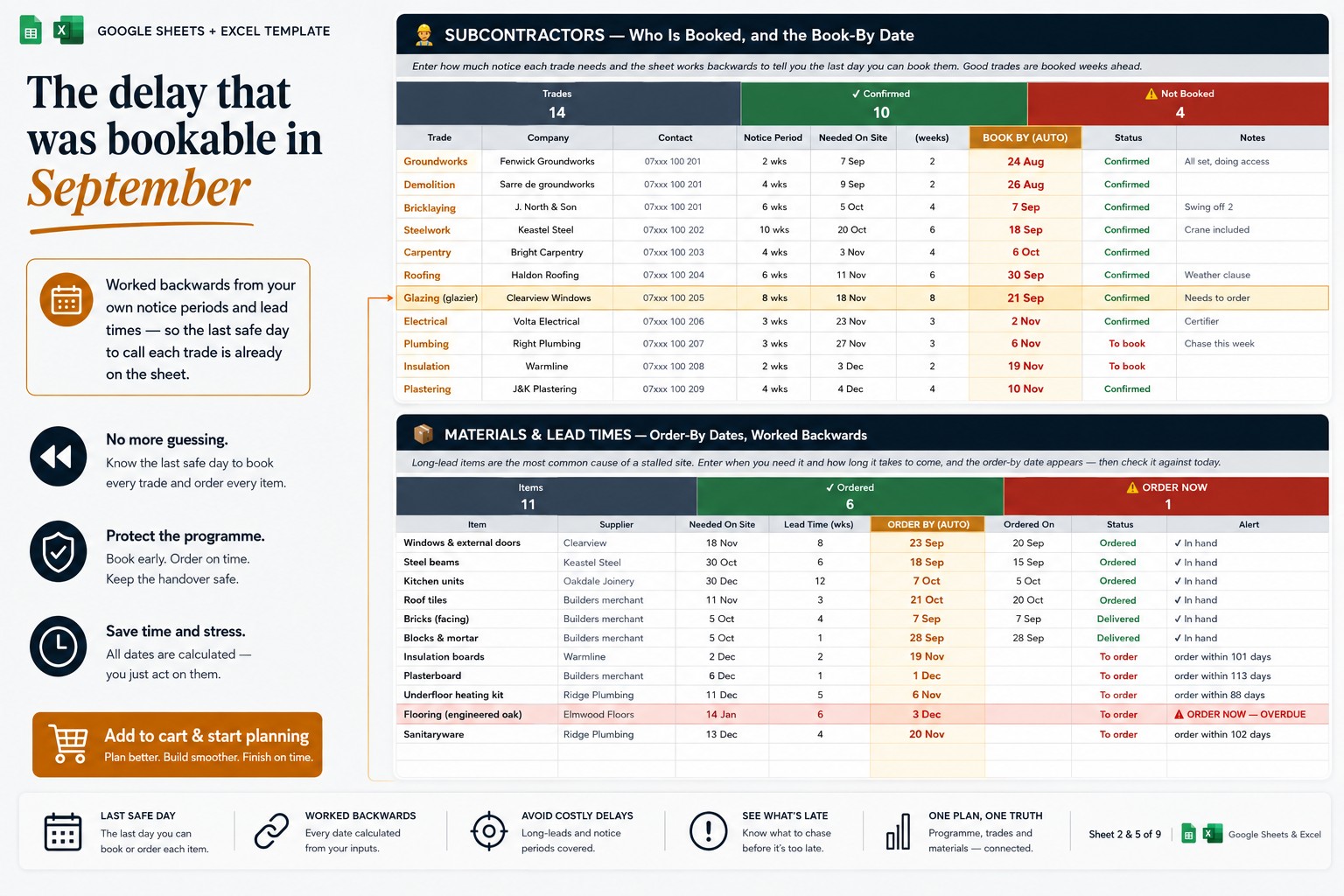
I built a construction schedule in Google Sheets around exactly this — every task carries a duration in working days and a predecessor ID, so dates calculate themselves and one late finish re-plans everything behind it, with a frozen baseline column, per-task slip, a live forecast handover date next to the promised one, and a Gantt view that redraws itself:
👉 Construction Schedule & Programme for Google Sheets & Excel
Whether you use mine or build the links yourself, stop keeping a schedule made of typed dates. Describe what depends on what, freeze your baseline, and let the programme tell you the truth the same week rather than two months later. Jobs slip. The only real question is whether you find out while you can still do something. 🏗️
This reflects my own perspective and describes a planning tool — NOT construction, engineering, health and safety, contractual or legal advice, and it guarantees no outcome; durations shown anywhere are illustrative, not standards. Regulations and delay liability differ by region and contract. Builders: how far into a job do you usually find out you’ve slipped? Tell me in the comments.